InteliDress
Home / InteliDress features
InteliDress features
InteliDress brings your closet, outfit ideas and plans together on your phone. Here is everything it does.
Free to download. Smart Add auto-tags your first 60 pieces free; unlimited auto-tagging and every theme are a one-time US$1.49. No subscription.
Build your digital closet
Smart Add auto-taggingSnap a piece and InteliDress fills in its category, type, colour, material and pattern. It runs on your phone. Your first 60 pieces are free.Watch it work
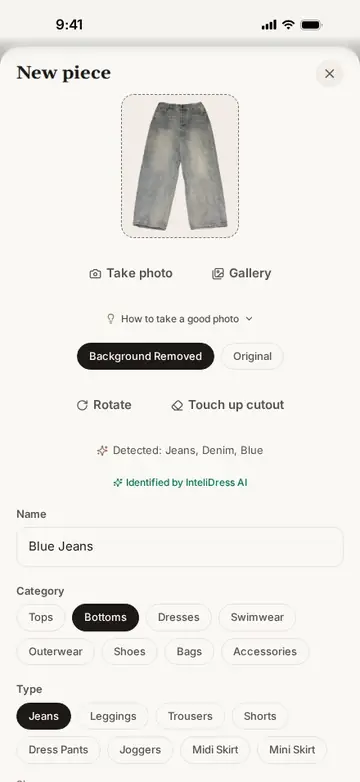
In this clip
- In the closet, tap + and choose a photo from the gallery.
- The background is removed on the phone.
- Smart Add names the piece Blue Jeans and fills in Bottoms, Jeans, Blue, Denim and Solid.
- Tap Add to closet: the jeans appear at the top of the closet.
Bulk uploadChoose a whole batch of photos at once: each one is cut out, tagged and named in turn while you keep using the app, and an interrupted import picks up where it left off.Watch it work
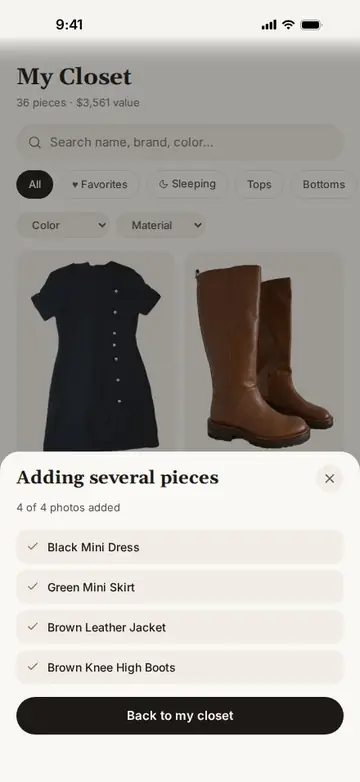
In this clip
- In the closet, tap Add several items and choose four photos from the gallery.
- InteliDress saves them, then processes one after another: Black Mini Dress, Green Mini Skirt, Brown Leather Jacket, Brown Knee High Boots.
- Back in the closet, the four new pieces are at the top, cut out and tagged.
Background removalEvery photo is cut out automatically so your closet looks like a catalogue. A touch-up tool fixes tricky edges.Watch it work
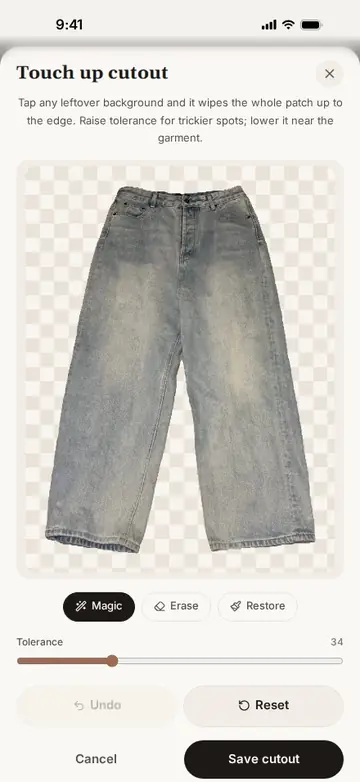
In this clip
- Add a photo: the background is removed automatically.
- Switch between Original and Background removed.
- Open Touch up cutout: Magic, Erase and Restore brushes fix any edge.
Camera or galleryTake a new photo or pick existing ones from your gallery.Watch it work
In this clip
- In the closet, tap + and choose a photo from the gallery.
- The background is removed on the phone.
- Smart Add names the piece Blue Jeans and fills in Bottoms, Jeans, Blue, Denim and Solid.
- Tap Add to closet: the jeans appear at the top of the closet.
Details that matterAdd price, brand, seasons and occasions, and mark favourites.Watch it work
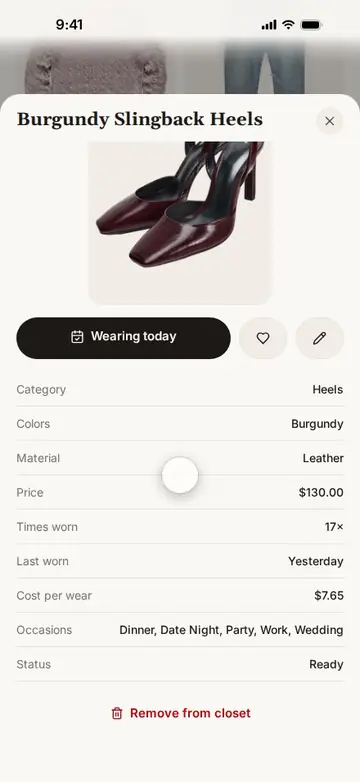
In this clip
- Tap Burgundy Slingback Heels in the closet.
- See category, colour, material, price, times worn and cost per wear.
- Tap the heart to make it a favourite.
Search and filtersFind anything by name, brand or colour, and filter by favourites, colour, brand, material or pieces you haven't worn.Watch it work
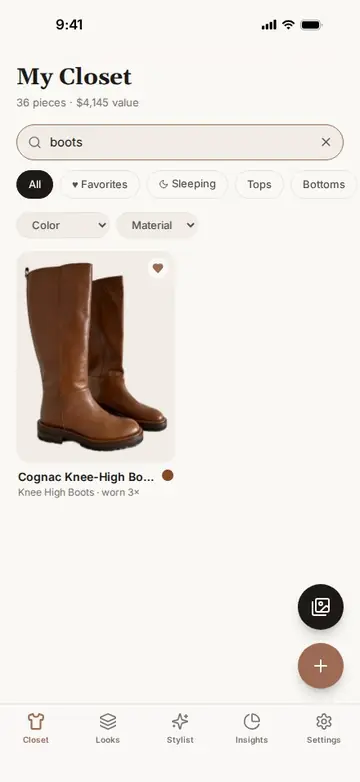
In this clip
- Type boots: only the boots remain.
- Clear the search and tap Sleeping: the pieces never worn.
- Filter by a category such as Dresses.
Get dressed faster
StylistOutfit ideas built from your own clothes for work, casual days, dinners, date nights, weddings, travel and more.Watch it work
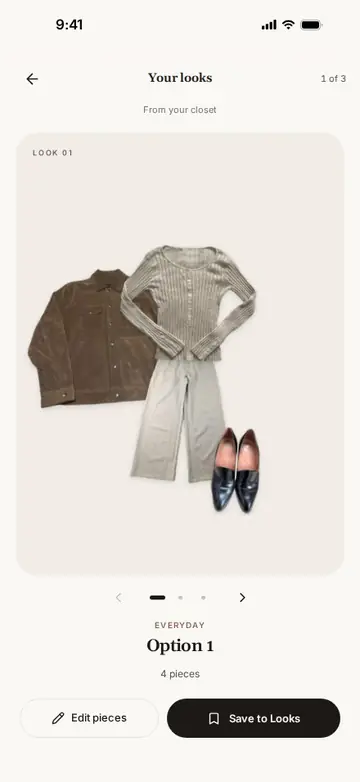
In this clip
- Open the Stylist; the occasion is Everyday.
- Tap Find my looks.
- Browse three outfit options: a suede jacket, cream henley, wide-leg trousers and loafers first.
- Tap Save to Looks.
Weather-aware outfitsTurn on local weather and the Stylist dresses you for the forecast. Forecasts are based on data from MET Norway.Watch it work
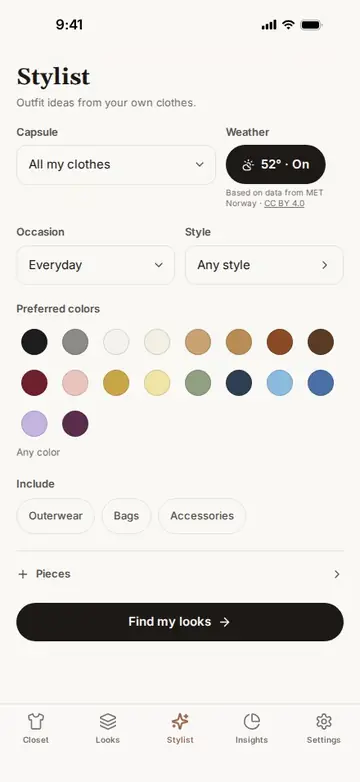
In this clip
- In the Stylist, tap Weather: it turns on and shows 52° (forecast data from MET Norway).
- Tap Find my looks.
- The looks are made for 52°F and mostly clear skies.
Build around a pieceChoose one piece, such as a new jacket or something you never wear, and get looks built around it.Watch it work
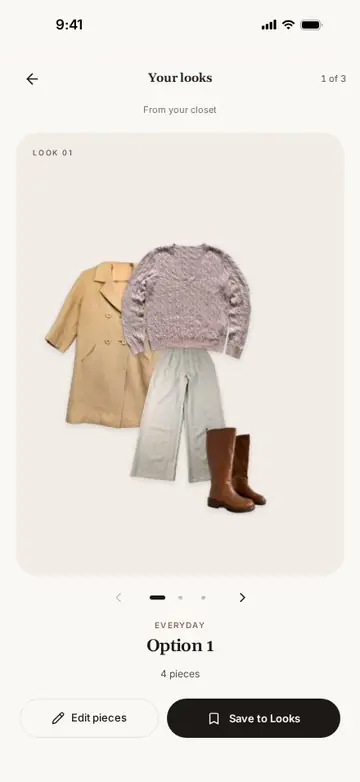
In this clip
- In the Stylist, open Pieces.
- Choose the Camel Wool Coat and tap Done.
- Tap Find my looks: every option is built around the coat.
Saved looks and favouritesSave the outfits you love, favourite them and search your looks by piece or colour.Watch it work
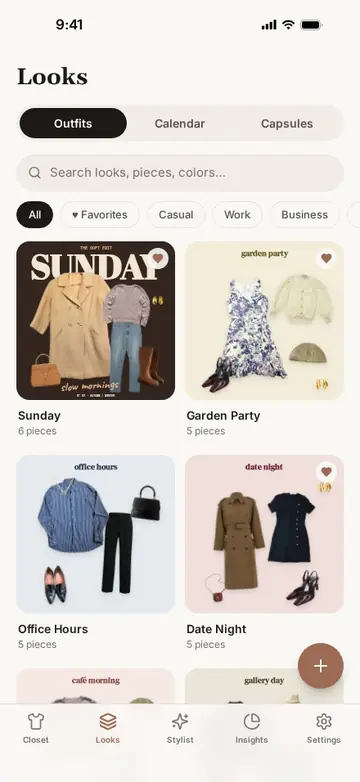
In this clip
- Open Looks and scroll through the saved outfits.
- Open Office Hours and tap the heart.
- Search looks for dress.
Your AI assistant
Connect ChatGPT, Claude or Grok and ask it to style you from the clothes you own. It reads your whole closet, puts outfits together itself and shows each one as an outfit card with your photos, and saves looks, capsules and plans straight into the app. Optional, and off until you turn it on. Needs InteliDress 1.1 or later.
Make every look yours
Outfit collagesArrange an outfit as a collage: resize, rotate and layer pieces, and add text, emoji and photo stickers.Watch it work
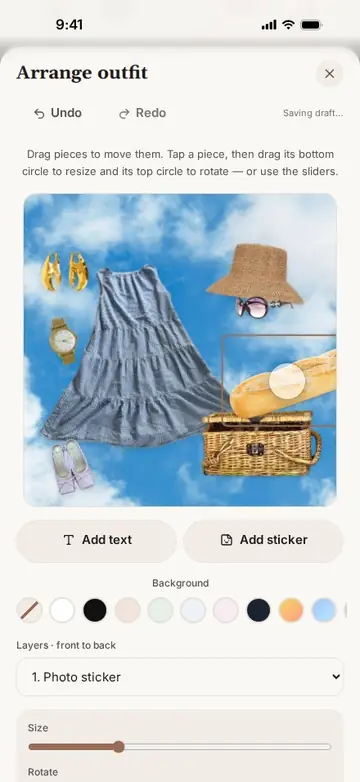
In this clip
- Open the look and tap Arrange.
- Drag each piece into place, then resize and rotate it with its handles.
- Choose a sky photo as the background.
- Add a picnic basket, a baguette and wine glasses as photo stickers.
- Add the caption a day at the park and save the layout.
Share a lookSave or share any look as an image.Watch it work
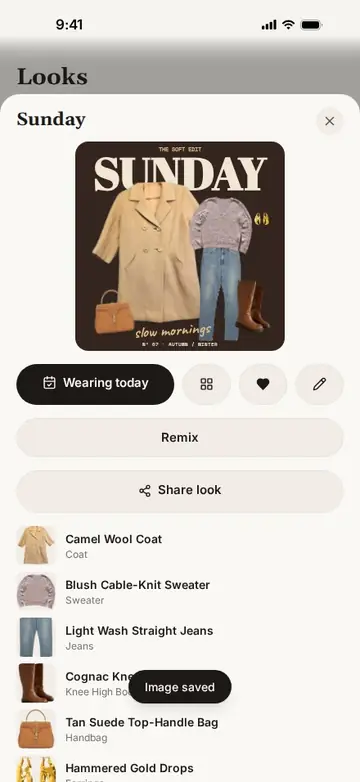
In this clip
- Open the Sunday look.
- Tap Share look.
- The look is saved as an image, ready to send.
ThemesTheme presets, custom colours, fonts, button shapes and a frosted-glass look. Light and dark are always free.Watch it work
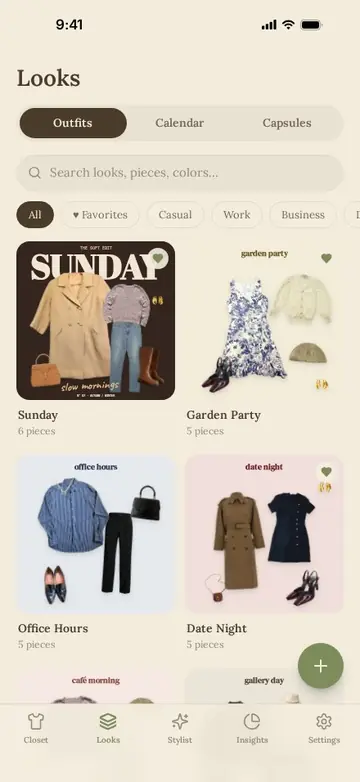
In this clip
- Open Settings and scroll to Make it yours.
- Tap Blush, Mint and Cottagecore: the app changes with each.
- The closet and Looks follow the theme.
Plan and track
Outfit calendarPlan outfits on a monthly calendar and see what you wore on any day.Watch it work
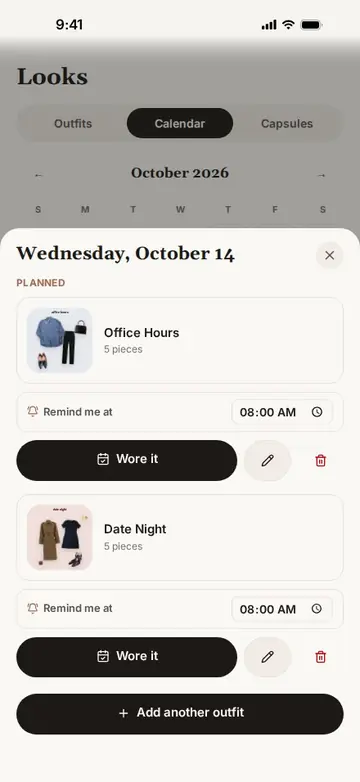
In this clip
- Open Looks, then Calendar.
- Tap Wednesday 14 October: Office Hours and Date Night are planned.
- Change Office Hours' reminder from 8:00 to 7:30.
- Tap Friday 16 October: Dinner at Eight is planned.
Outfit remindersGet a reminder of the outfit you planned.Watch it work
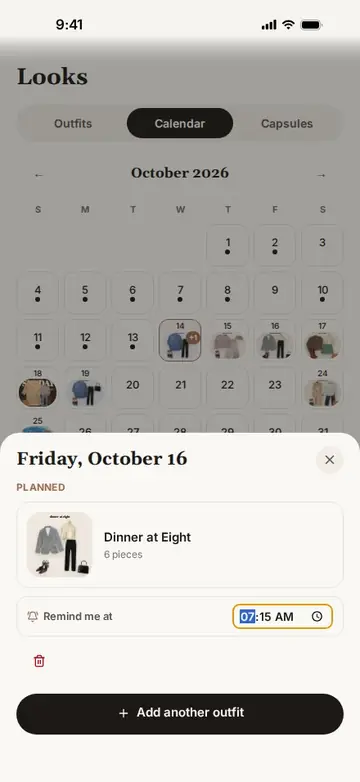
In this clip
- Open the calendar and tap Friday 16 October.
- Dinner at Eight is planned, with a reminder at 8:00.
- Set the reminder to 7:15.
Wear journalLog what you're wearing today in one tap. Wear history powers your insights.Watch it work
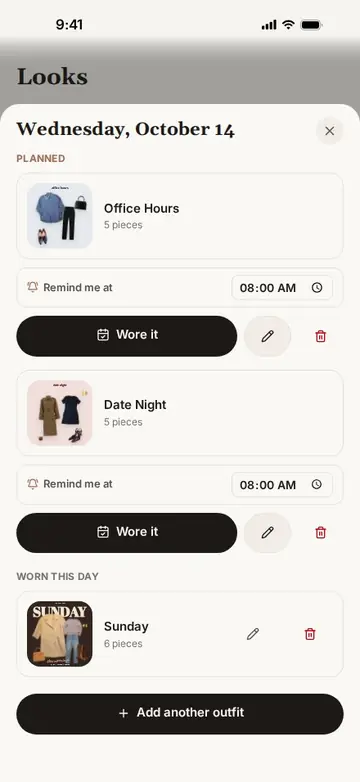
In this clip
- Open the Sunday look and tap Wearing today.
- Open the calendar and tap today.
- Sunday is listed under Worn this day.
Capsule wardrobesGroup pieces into capsules and create outfits from a capsule.Watch it work
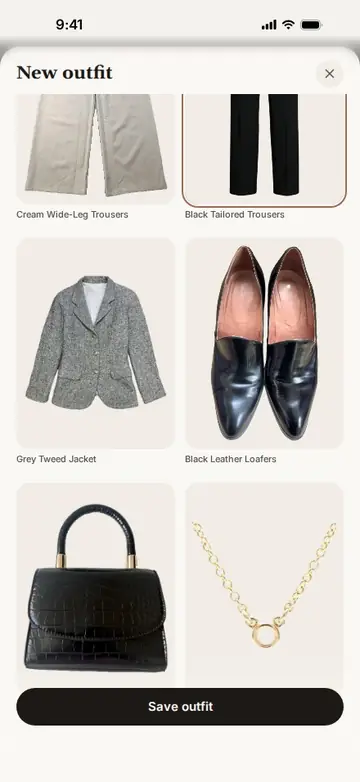
In this clip
- Open Looks, then Capsules, then Workweek.
- Tap Create outfit from this capsule.
- Pick a shirt, trousers and loafers, then Save outfit.
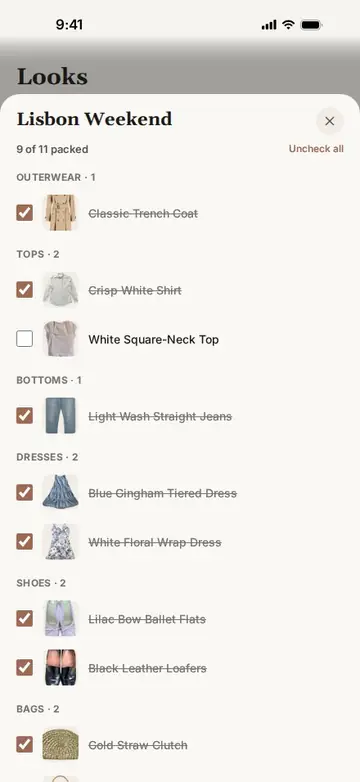
Packing listsTurn a capsule into a packing list for a trip. Add pieces or whole saved outfits (shared pieces appear once), then tick them off as you pack.Watch it work
In this clip
- Open Capsules, then Lisbon Weekend: 6 of 11 packed.
- Tick the floral dress, the straw clutch and the ballet flats.
- Now 9 of 11 are packed.
Understand your wardrobe
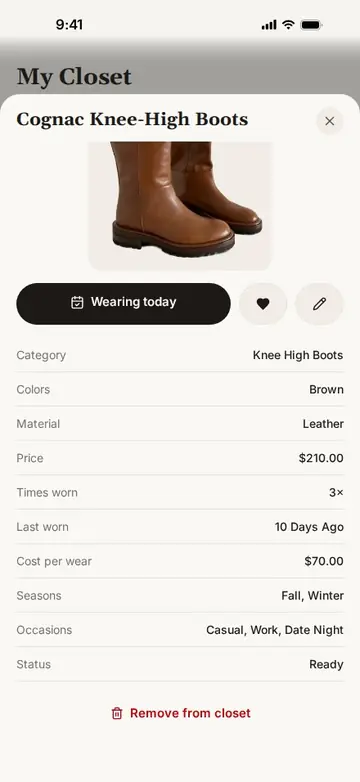
Cost per wearSee what each piece costs every time you wear it, and your closet average.Watch it work
In this clip
- Open Insights: the average cost per wear is $21.95.
- Open a piece in the closet.
- Its detail shows price, times worn and cost per wear.
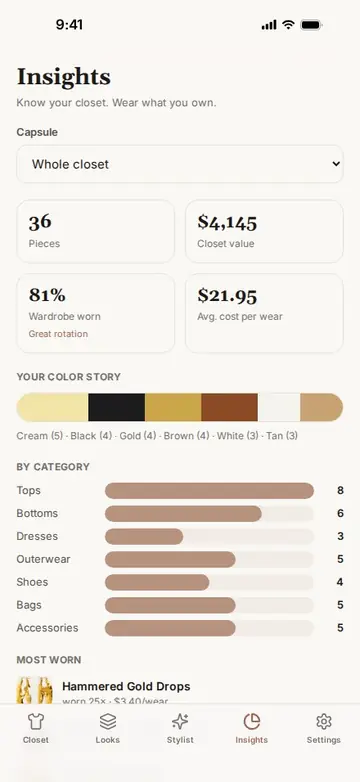
Closet valueKnow what your wardrobe is worth, by category.Watch it work
In this clip
- Open Insights: 36 pieces, $4,145 closet value, 81% of the wardrobe worn, $21.95 average cost per wear.
- Scroll to the colour story and the categories.
- See the most-worn pieces and what is sleeping in the closet.
Wardrobe wornSee how much of your closet you actually wear.Watch it work
In this clip
- Open Insights: 36 pieces, $4,145 closet value, 81% of the wardrobe worn, $21.95 average cost per wear.
- Scroll to the colour story and the categories.
- See the most-worn pieces and what is sleeping in the closet.
Colour storyThe colours your wardrobe is made of, at a glance.Watch it work
In this clip
- Open Insights: 36 pieces, $4,145 closet value, 81% of the wardrobe worn, $21.95 average cost per wear.
- Scroll to the colour story and the categories.
- See the most-worn pieces and what is sleeping in the closet.
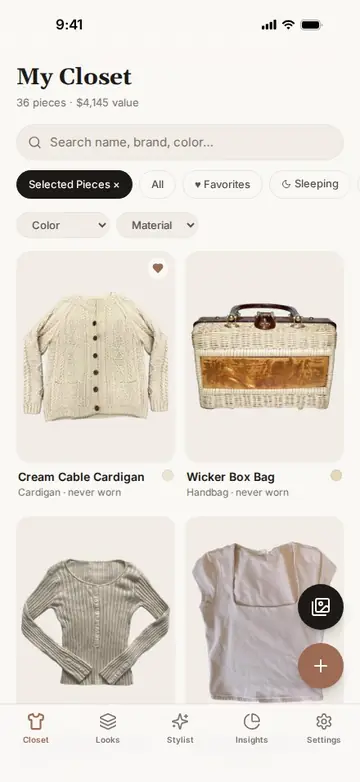
Sleeping in your closetPieces you haven't worn yet, with a shortcut to style them.Watch it work
In this clip
- Open Insights and scroll to Sleeping in your closet.
- Tap View all in your closet.
- The closet shows only the pieces never worn.
Yours, in your language
17 languagesEnglish, Spanish, French, German, Italian, Portuguese, Dutch, Arabic, Hebrew, Chinese, Japanese, Korean, Russian, Polish, Turkish, Ukrainian and Hindi, with right-to-left layouts for Arabic and Hebrew.Watch it work
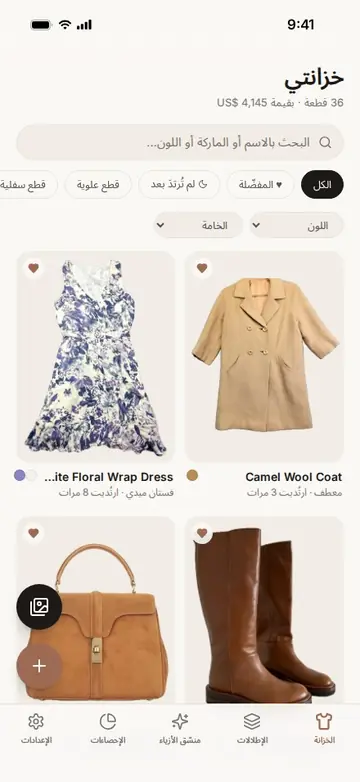
In this clip
- Open Settings and choose Español: the whole app switches to Spanish.
- Choose العربية: the app switches to Arabic and flows right to left.
- Choose 日本語: Japanese.
No accountOpen the app and start. There is nothing to sign up for.Watch it work
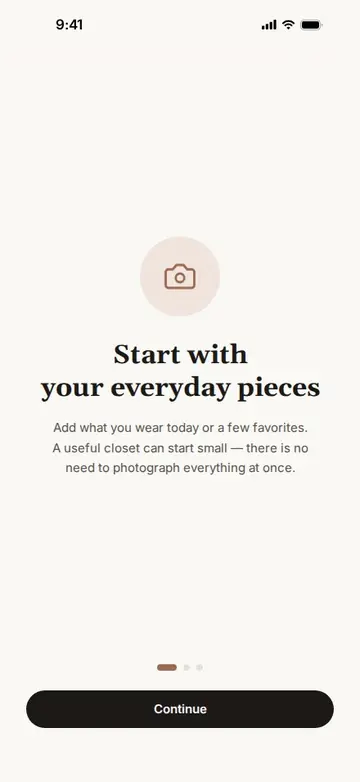
In this clip
- Open InteliDress for the first time.
- Swipe through three short welcome screens.
- Start adding clothes, with no account.
On your phone
Your closet, photos and outfits are stored on your phone. An online copy exists only if you connect an AI assistant. No ads and no tracking.
Backup and restoreSave your whole wardrobe, including photos, outfits, collages, calendar and wear history, to a backup file, and restore it later.Watch it work
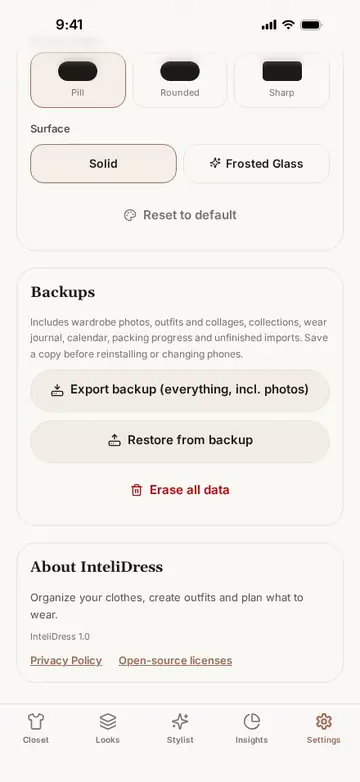
In this clip
- Open Settings and scroll to your data.
- Tap Export backup.
- The backup file is saved.
Make more of the clothes you already own.
Free to download for iPhone and Android.